Play Minecraft together on Java PC and Android or iPhone
Java PC players and Android or iPhone players can share a JetRift world. Use Java 26.3 on the computer and Bedrock 26.60 on the phone. Crossplay is included; you do not install Geyser or Floodgate on JetRift.
Before you start
Check the exact versions on both devices. Java on Windows, macOS or Linux is different from Minecraft for Windows, which is Bedrock. Android, iPhone and iPad use Bedrock. Each player needs the appropriate game and account. Bedrock players sign in with their Microsoft/Xbox account and must have multiplayer permission.
If an app store has moved your phone to a newer release than JetRift supports, check our current version reference before creating a world for the group. Crossplay does not remove version checks.
1. Create and share the world
- Create a free server on JetRift and open its dashboard.
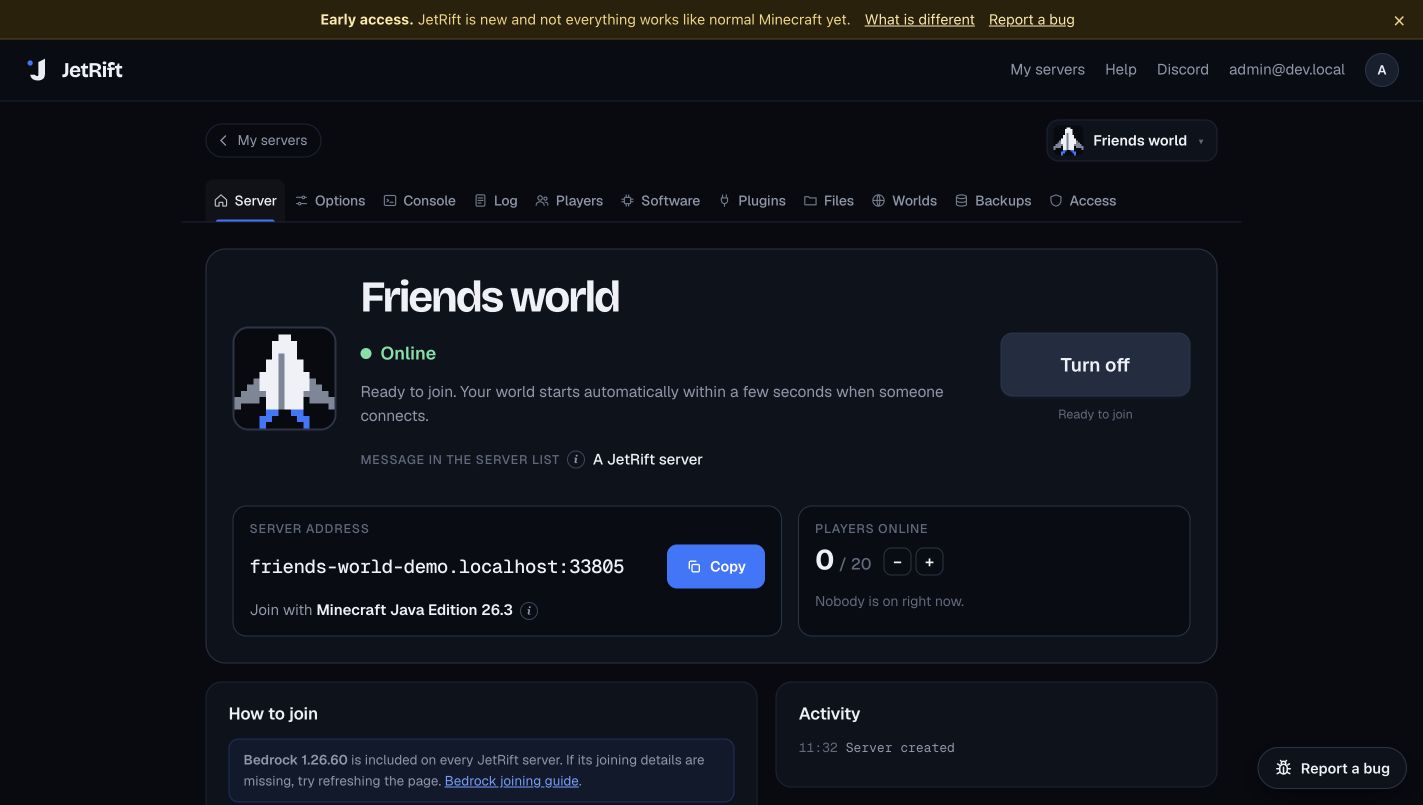
- Copy the join address shown for your server. Share it privately with your friends. Use the dashboard’s Bedrock port rather than guessing if it shows a different one.
- If the whitelist is enabled, add each player’s exact name in Players. A Bedrock name has a leading dot; spaces become underscores. For example, Xbox name
Alex Builderis.Alex_Builderon the server.
2. Join from Java PC
- Open the Minecraft Launcher and select the supported Java release.
- Choose Multiplayer → Add Server.
- Paste the address from the dashboard into Server Address. Include a Java port only if the dashboard shows one.
- Save, select the server and join. An idle world starts when someone connects. Allow the startup to finish before retrying.
3. Join from Android, iPhone, iPad or Windows Bedrock
- Open Minecraft and sign into your Microsoft/Xbox account.
- Choose Play → Servers → Add Server. Menu labels can vary slightly by platform.
- Enter a friendly name, paste the server hostname into Server Address, and enter 19132 in Port unless your dashboard gives another port. Do not put
https://or a page path in the address. - Save and join. Read any connection or account prompt before continuing. If multiplayer is disabled for a child account, the family organizer must enable the appropriate permissions.
Names, inventories and controls
Java and Bedrock players have separate identities. Using both editions does not automatically share an inventory or progress between your accounts. Ask the owner to use the dot-prefixed Bedrock name for whitelist and player-management actions.
The shared world follows the server engine’s behavior. Java resource packs are not converted into Bedrock packs. Bedrock players can use /offhand for the offhand action supported by JetRift; Java-style attack cooldown and other differences may be visible. Check known issues for mechanics that matter to your group.
What about Xbox, PlayStation and Switch?
These console versions do not offer the normal custom-server Add Server field. Community DNS or LAN relay workarounds are separate tools and are not a supported direct JetRift connection flow. We cannot promise they will keep working after updates. For an all-Bedrock console group, a Bedrock Realm is simpler; Java players cannot join that Realm.
Does this work on other hosts?
A normal Java server cannot accept Bedrock on its own. Other hosts often use Geyser and Floodgate. Follow that host’s configuration and port instructions. Java client mods do not become phone-compatible just because the server has a bridge.
Diagnose a connection error · Compare free crossplay hosts
Account and platform requirements: Minecraft multiplayer requirements. Realm edition limits: Minecraft Realms. JetRift details checked against our client handling and dashboard.